
Overview
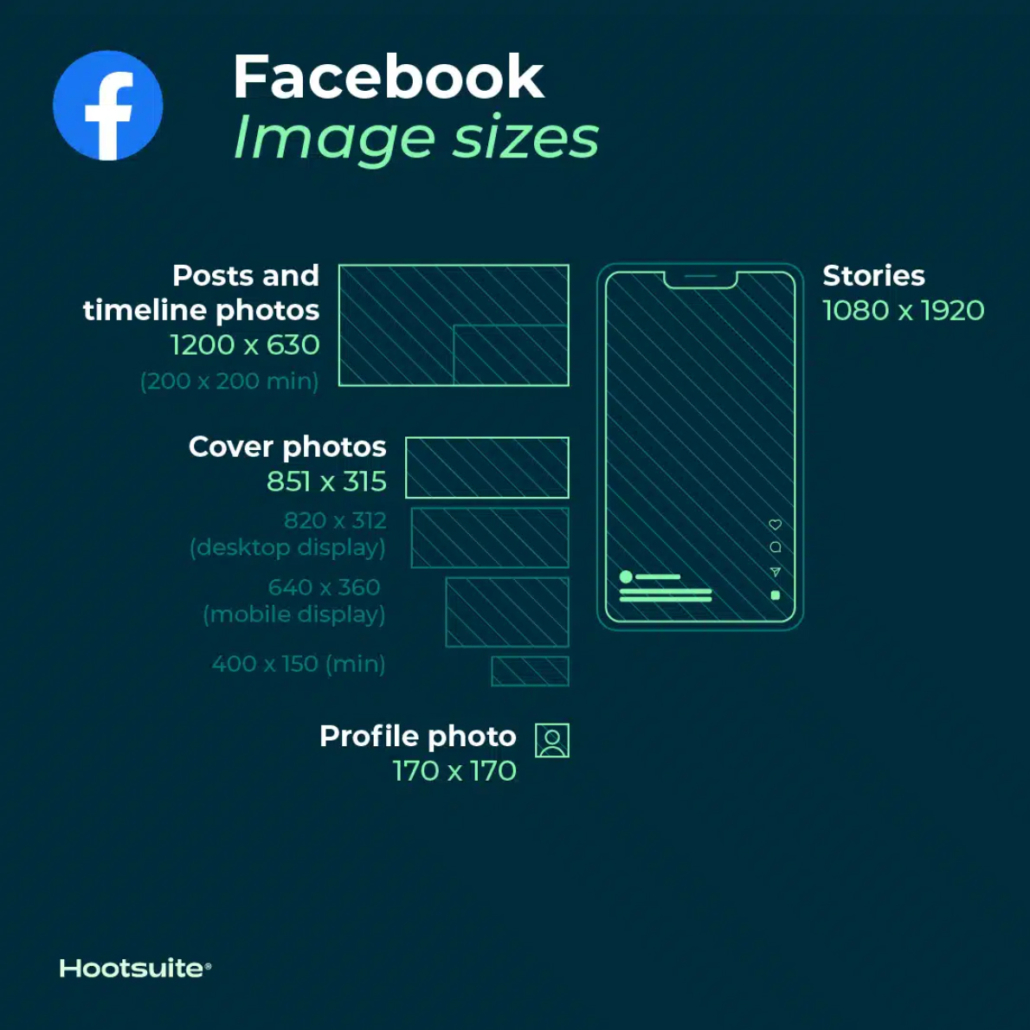
Facebook updates its design and image dimensions constantly. The best strategy to future-proof your brand’s content is to always upload the highest-quality image you can. Stick to Facebook’s recommended file formats for the best results.
Profile Picture
Facebook Profile Picture
Your Facebook profile picture will display at 170 x 170 pixels on desktop. But it will display as 128 x 128 pixels on smartphones.
Cover Photo
Facebook Cover Photo
- Recomended size: 815 x 315 pixels
- Display size desktop: 820 x 312 pixels
- Display size smartphone: 640 x 360 pixels
- Minimum size: 400 x 150 pixels
- Ideal file size: Less than 100KB
Tips
- To avoid any compression or distortion, upload a JPG or PNG file.
- Use the recommended pixel sizes for the fastest load times.
- Profile pictures and cover photos with logos or text work best when uploaded as a PNG file.
- Don’t drag to reposition once you’ve uploaded your cover photo.
Resource: Get more tips on creating great Facebook cover photos.
Timeline Photo
Facebook Timeline Photo
Facebook automatically resizes and formats your photos when they are uploaded for the timeline to be 500 pixels wide and to fit the 1.91:1 aspect ratio. But avoid pixelation or slow load times by remembering these sizes:
- Recommended size: 1200 x 630 pixels
- Minimum size: 600 x 315 pixels
Tips:
- If you are sharing 2-10 images in your brand’s Facebook post using the carousel display, images should be 1200 x 1200.
- This is a 1:1 ratio.
Event Cover Photo
Facebook Event Cover Photo
Recommended size: 1200 x 628 pixels
Tips
- This is about a 2:1 ratio.
- The size of your event cover photo can’t be edited after it’s been added to an event.
Panorama or 360 Photos
Facebook Panorama or 360 Photos
- Minimum image size: Facebook says that it should be “30,000 pixels in any dimension, and less than 135,000,000 pixels in total size.” (seriously not making this up)
- Aspect ratio: 2:1
Tips
- Facebook automatically recognizes and processes these images based on “camera-specific metadata found in photos taken using 360-ready devices.”
- Files for these Facebook images can be up to 45 MB for JPEGs or 60 MB for PNGs.
- Facebook recommends using JPEGs for 360 photos and ensuring files aren’t bigger than 30 MB.
Stories
Facebook Stories:
Recommended size: 1080 x 1920 pixels
Tips
- Facebook Stories take up the full screen of a phone. That’s an aspect ratio of 9:16.
- Don’t choose an image with a width smaller than 500 pixels.
- For Stories with text, consider leaving 14% of the top and bottom text-free. (That’s 250 pixels.) That way any call-to-action won’t be covered by your brand’s profile photo or buttons.
Ads
Facebook Ads
- Feed Ads: At least 1080 x 1080 pixels. Minimum size 600 x 600 pixels. Ratio 1.91:1 to 1:1. Maximum file size of 30 MB.
- Right Column Ads: At least 1080 x 1080 pixels. Minimum size 254 x 133 pixels. Ratio 1:1. (Remember: These are a desktop-only ad format.)
- Instant Articles: At least 1080 x 1080 pixels. Ratio 1.91:1 to 1:1. Maximum file size of 30 MB.
- Marketplace Ads: At least 1080 x 1080 pixels. Ratio 1:1. Maximum file size of 30 MB.
- Facebook Search: At least 1080 x 1080 pixels. Minimum size 600 x 600 pixels. Ratio 1.91:1 to 1:1. Maximum file size of 30 MB.
- Sponsored Messages: At least 1080 x 1080 pixels. Ratio 1.91:1 to 1:1. Maximum file size of 30 MB.
- Messenger inbox Ads: At least 1080 x 1080 pixels. Ratio 1:1. Minimum size 254 x 133 pixels. Maximum file size of 30 MB.
- Messenger Stories Ads: At least 1080 x 1080 pixels. Ratio 9:16. Minimum width of 500 pixels.
Resource: Here’s more info on how to advertise on Facebook.